

What are the Minimum and Maximum Preparer Fees?
When setting up fees in your ProWeb office, you can determine if you want to set a minimum and/or maximum preparer fee. Setting minimum and maximum preparer fees effectively controls how much or how little your office can charge for tax returns.
After having set a minimum and maximum, regardless of the calculated total of the individual form fees, the return's total preparation fees will not be less than the minimum or more than the maximum.
How to configure the Minimum and Maximum Preparer Fees
To set a minimum or maximum for your office, from the Welcome Page of your ProWeb office select:
Configuration
Fee Setup
The Minimum and Maximum Preparer Fees are at the top of the Fee Setup menu:
Once you have set the amounts you want, fees for returns created in your office won't go above or below those amounts. If a return's preparation fee per the fee schedule triggers applying the minimum or maximum, the preparer will be told on-screen:


Overriding the Minimum or Maximum Preparer Fees
In addition to setting the Minimum and Maximum Preparer Fees for your office, you can also determine who, if anyone, can override the amount you have set. First, you will need to change the preparer's security template to allow them to override the amount set.
To do this, from the Welcome Page of your ProWeb office select:
Configuration
Security Templates
If you haven't created a Security Template yet, see here for instructions. Otherwise, click Edit next to the template you'd like to change.
Check the box next to Override Minimum Preparer Fee and Override Maximum Preparer Fee as desired.

Save the Security Template, and ensure it is assigned to the preparer who needs access to these overrides.
Once the preparer has the ability to override the minimum or maximum, they can click the override message:

Clicking the override message brings up a password window:
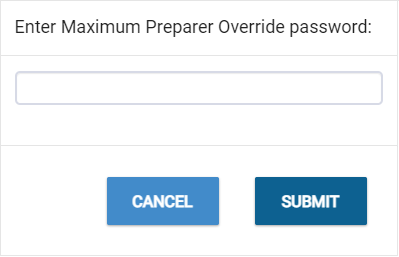
The preparer can enter their login password to override the calculated fee.
